
Traders ideally need access to the full history of adjustments, including the profits and losses from all the trades, to analyse a long-running trading strategy better.
However, maintaining a comprehensive record of a long running strategy with squared-off trades can be challenging, because these squared-off trades are cleared away from brokers’ positions the next day.
To help solve this problem, we are excited to introduce a new feature that lets you import your order history from your broker into a draft portfolio. This enhancement allows you to organise your trades in named strategies and keep track of all the profits and losses that were incurred as part of any adjustments made in that strategy.
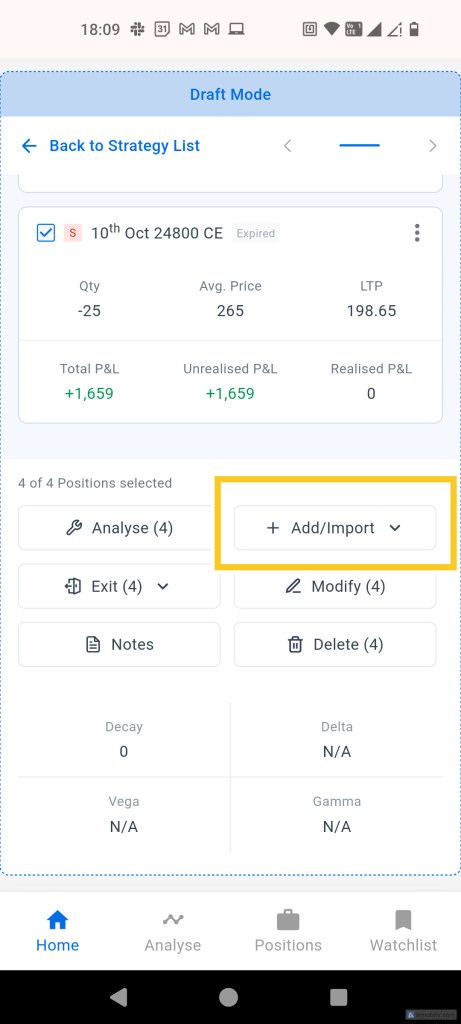
To access this feature, go to Draft Portfolios, open any portfolio, and on a strategy within that portfolio, you will find a button saying ‘Add / Import’ on the right side panel as shown below.
This feature is available on mobile app as well. You can find it at the bottom of the strategy screen as shown below.
This modal has some conveniences to let you filter by underlying, date range or even a specific instrument. It also has a toggle to filter out any trades that were already imported into this strategy so that you don’t add the same trades twice.
Once trades are added to the draft portfolio strategy, it works like any other draft strategy. You can see the realised and unrealised P&L associated with it. You can also analyse it using Strategy Builder.
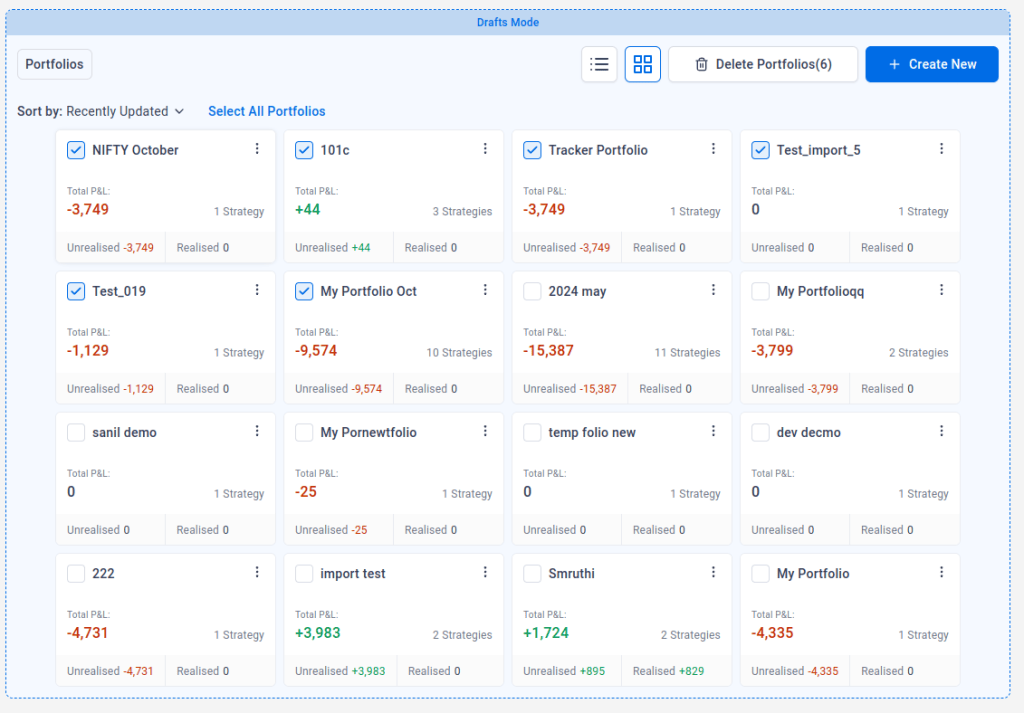
In response to users’ requests, we have brought back the box based design as an additional option in portfolio list page:


Hi
LikeLike
This is a good feature. One improvement could be to make this automatic, so a user doesn’t need to remember to add them every time. If you want to leave the choice to the user, then atleast have a one time automatic – yes/no button that a user can set as preferences, so this gets done automatically. Thanks for striving to improve your product constantly
LikeLike
Only 7 trades could be uploaded at a time despite selecting the “Select all” radio button. I tried using this feature but realized its impossible given that I need to keep reselecting the date range, keep scrolling to the next page only to add 7 more trades. This is useless for most people. Sensibull lately seem to have decided to work half heartedly on things but just doesnt work on most important stuff like Simulator or back testing on options. Crazy. Disappointed lately.
LikeLike
Please work on chart replay on 5 minutes time frame
LikeLike
Please try to bring automatic exit option when profit or loss reaches a desired target
LikeLike
This is great feature , i was looking for same for quite sometime because maintaining records was very difficult and time taking specially during maret hours and middle of office work…..Thnaks for this feature.
LikeLike
Good feature addition. Really very useful
LikeLike
Now just add simulator and you will be unstoppable.
LikeLike
osm
LikeLike
No Comments
LikeLike
Please don’t club both Add/Import into one option. It takes more clicks to do the entry.
Just separate Add and Import option in menu. Thank you.
Also you could display timestamp of update for the Draft, So we know when the price is updated.
LikeLike
past 6 month experience in trading account i want to learn more in sensibull, due to heavy losses was found in my trading account please help us to learn to avoid losses in trading account.
LikeLike
Would be made if more brokers can be integrated for this import feature
LikeLike
I mean would be great*
LikeLike
Good
LikeLike
How do we bring a strategy from the builder to the watchlist and from the draft Portfolio to the watchlist
LikeLike
stoploss and target in one click
LikeLike
Please let us make a feature to execute the strategy from draft portfolio
LikeLike
Yese
LikeLike
Very good feature
LikeLike
hi i m interest in you plan but i pay monthly basis not pay one time payment for one year kindly suggest me
LikeLike
Nice
LikeLike
tile view is worst UI
LikeLike
This is a great feature I have been looking for. However, it will be useful to add “Add New trade” feature in this draft position to see how new adjustments will reflect in the pay-off graph or to check the new “delta” after adjustment and be able to execute those new trades.
Else we need to go back to Strategy Builder, update the PnL there to see how new adjustments will look like. In a monthly strategy such as calendar, Iron Condor etc, we need to be able to see past trades and new adjustments together. Hope this made sense. Let me know otherwise and I can explain on phone.
LikeLike
Please provide the Stop loss option for Future and option contracts in the sensible. That will really helps a lot to understand concepts
LikeLike
Nice improvement…had to do it manually before, now it may be a bit more convenient
LikeLike
ok
LikeLike
Please include feature to add journal notes for each strategy/portfolio
LikeLike
Its great facility for building analysis on trades taken
LikeLike
Hi Unable to import commodity orders
LikeLike